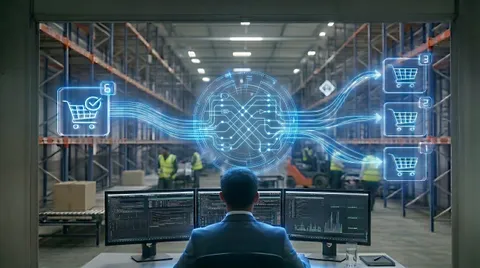
The Quiet Cost of an Order System That Almost Works
Replacing a music retailer's overstretched Brightpearl automation rules with a custom fulfillment engine ended overselling, stuck orders and slow dropshipping.
Case Study Highlights
Systems: Custom fulfillment engine on top of Brightpearl by Sage (orders, inventory, purchase orders, dropship suppliers)
Problem: Fulfillment ran on Brightpearl’s automation rules stretched past what rules can do, with staff filling the gaps by hand. In practice: orders stuck halfway, slow manual transfers between warehouses, goods shipped from suppliers that were already on the shelf, pickup orders treated as deliveries, canceled orders that shipped anyway, and stock reserved for one order slipping to another and overselling
Solution: Replaced the overstretched rules and manual workarounds with a custom engine, so every order follows a written, step-by-step plan it can resume after any failure, with every routing decision recorded and visible on a single internal screen
Result: Dropship orders now process immediately instead of taking around two days, inter-warehouse transfers ship the same day instead of two days later, hundreds of hours of manual checks and validation disappeared, and the team answers “where is my order?” questions from one screen instead of chasing them down one by one
A well-established music retailer was paying suppliers to ship items that were already sitting on a shelf in one of their own warehouses. Not often enough for anyone to notice. Often enough that it had been costing real money for years.
That is what it looks like when the software running the back office stops keeping up. Orders flow in faster than the team can babysit them. Inventory drifts away from what the screen says it is. Someone ends up as the human glue between systems that almost talk to each other.
The retailer’s entire back office ran on Brightpearl, the retail operations platform now part of Sage, and Brightpearl held the business well. The trouble was in how orders turned into shipments.
That side of things had been built up over the years out of Brightpearl’s own automation rules, stretched well past what rules are meant to do, and propped up by staff handling whatever the rules couldn’t. It almost worked.
It wasn’t failing loudly. It was failing quietly, and every week brought a fresh story of an order that had gone sideways in a way nobody caught until a customer called. They came to us at SaaS Glue to replace it with a fulfillment engine that could actually cope.
What follows is a catalog of what was going wrong, and then what we built to stop it. None of these problems are exotic. Any business juggling several warehouses, a mix of in-stock and supplier-shipped products, and a website that sells around the clock will recognize at least a few of them.
The point of writing them down is to put a name on the kinds of bugs that cost a business money and trust, year after year, before anyone realizes they can be solved.
We kept Brightpearl. It holds the orders, the stock, the purchase orders and the supplier relationships, and it’s very good at that.
What we replaced was everything piled on top of its automation rules: the logic that decides where every order is sourced from, and the manual work that filled in whenever the rules fell short. Brightpearl’s automation is strong for standard workflows, but this client’s routing had long outgrown what rules can express, so we built a custom engine to do that job and let Brightpearl do what it does best.
If your routing still fits inside those rules, you don’t need a layer like this, and we’d tell you so. Extending what works rather than ripping it out is a core part of how we think about software, and it’s why this was a custom build rather than a rip-and-replace.
What was quietly going wrong
None of these looked like an emergency on their own. Each one was small enough to pass for a one-off. Together they cost real money and hours every week.
Orders that got stuck halfway, and nobody noticed
When the automation hit a snag partway through an order, a hiccup talking to a supplier or a timeout, there was nothing to pick the order back up. It was left half-finished.
Maybe some stock was reserved. Maybe a supplier order existed with no items on it, or a shipment was promised and never sent.
The next pass over the order would either skip it, because parts of it looked done, or redo work already done. Either way a person had to step in and finish it by hand.
The visible cost was a steady stream of “can you check on my order?” emails.
The invisible cost was bigger. Staff spent hours every week reconciling orders against their actual state, and anything that didn’t fit a clean template had to be chased down and finished off.
Orders that needed stock from more than one warehouse
The client runs several warehouses and showrooms, and not every order can be filled from just one. Plenty can, and the whole order ships from a single location.
But some orders needed a few units from one warehouse and the rest from another, which meant moving stock between locations before anything could go out. Working that out, which location fills which line and what has to move first, was more than the automation rules could express.
So on any order that wasn’t straightforward, a person worked it out by hand. That was slow. A transfer could take two days to move the stock and get the order out the door, with every step watched and nudged along.
Paying a supplier to ship what was already on the shelf
This one cost money on every occurrence, and the client didn’t know how often it was happening until we started looking.
Dropshipping is meant to be the fallback: when an item is genuinely not in stock, a supplier ships it straight to the customer for a wholesale price plus a shipping fee. Knowing when it was genuinely needed was the hard part.
Because the tricky orders were sorted out by hand, that decision came down to a person checking stock across several warehouses and showrooms, and sometimes the figure wasn’t read correctly. Stock that was sitting on a shelf in one location got missed, and the order went to a supplier anyway.
So the business paid a supplier to ship items it already owned, while the customer waited extra days for goods that could have gone out the same day. Money had been leaking on a portion of orders for a long time before anyone caught it.
It’s the same theme we saw with a wholesaler whose team could not trust the stock numbers on their own screens: when the right figure is hard to see, people make the wrong call.
Statuses the rules never caught up with
Canceling an order should be simple. Someone says “cancel this”, and the order goes away.
In practice it wasn’t that simple, because the team didn’t have a single way to cancel an order. Over time they’d built up several order statuses that all meant, in plain terms, “do not ship this”. To the people running the business they were all obviously cancellations. To the automation they were just different words.
(Every business that’s been trading a while has a list like this somewhere. Almost nobody has written it down.)
Only some of those statuses registered with the rules as a stop signal. They’d never been updated as the team added new ones, so an order parked in a status the rules didn’t know about looked, to them, like a normal order waiting to go out.
And go out it did. Orders the team had marked as canceled were shipped anyway, which meant chasing the customer for a return or writing off goods that should never have left the building.
Click and collect was the same problem wearing a different hat. Customers who pay online and then collect from a counter or showroom were marked with one of several pickup statuses, and again the rules didn’t know all of them. A pickup order in a status the rules didn’t recognize looked like a normal delivery, so it got shipped out to a customer who was only ever going to walk in and collect it.
Stock that slipped from one order to the next
The failures that hurt most were the ones a customer saw. Someone would order an item the shop showed as available, receive a confirmation, and then be told days later that what they’d bought wasn’t actually there to send.
This came down to how the automation handled reservations. When an order came in, stock was set aside for it so nobody else could take it, which is exactly what a reservation is for.
But those reservations didn’t always hold. Under the wrong sequence of events, the rules could release stock promised to one order and let a later order take it, leaving the first short.
Nothing looked broken. Both orders showed their stock on paper. There simply wasn’t enough underneath to honor both.
By then the business had already taken the money and sent the confirmation, so someone had to apologize and either refund the customer or put them on backorder, while the goodwill quietly drained away.
A black box that magically works, or fails
The last problem is the one underneath all the others.
There was no log.
When an automation rule misfired and one of the failures above began, nobody could see how it had happened or why. There was nothing to read back, no record of what the automation had decided or where it had gone off track. All you could do was fix the order by hand and hope it held.
Most days it worked. On the days it didn’t, no one could say what had changed. Answering a question as simple as “what happened with this order?” meant guesswork, and with no way to see inside, every case had to be worked out from scratch.
What we built
We didn’t chase these one bug at a time. Most of them came from the same few root causes, so instead of piling on more rules we built a proper fulfillment engine to replace them, and the manual work they leaned on, in one move.
Brightpearl stayed the source of truth underneath.
Every order starts with the best plan we can build for it
The engine’s first job on any order is to work out the best way to fill it, before it moves a single unit. It reads real availability across every warehouse and showroom, then decides.
If one location can cover the whole order, the plan ships it from there. If it needs stock from more than one, the plan splits the order and schedules the stock to move between locations. If a line genuinely isn’t in stock anywhere, and only then, the plan sends it to a supplier to dropship.
Because that call is made from stock the engine can actually see, rather than judged by eye under pressure, it stopped paying suppliers to ship things that were already on a shelf.
The engine carries that plan out, step by step
Once the plan exists, the engine executes it one step at a time, and every step is checkpointed. If a step fails, a supplier call times out or something hiccups, the next attempt picks up exactly where it left off, with no duplicate paperwork and nothing left half-done.
All the way through, it holds the order’s stock allocations firmly, so units promised to this order can’t slip to another and nothing gets oversold. Because any order can always be resumed safely, we were able to switch over to the new engine gradually, without a single risky cut-over, and the business kept trading throughout.
The steps themselves are the real work. Where the plan calls for a transfer, the engine raises it and tracks it through to arrival, which is why inter-warehouse transfers that used to take two days now move and ship the same day.
Where it calls for a dropship, it sends the purchase order to the supplier and keeps the order’s fulfillment status current as the supplier confirms and ships. And the delivery speed the customer paid for travels with every step, including the ones handed to a supplier, so an order bought as expedited stays expedited the whole way.
Built for a quirky, rate-limited API
None of this would hold up if the engine couldn’t talk to Brightpearl reliably, and Brightpearl’s API does not make that easy. It enforces hard limits on how many requests you can make in a given window, and it carries plenty of small quirks that only show themselves under load.
An engine that assumed every call would succeed would fall over on the first busy afternoon. So this one assumes the opposite.
It’s built to stay inside Brightpearl’s rate limits rather than hammer the API, and when a call is throttled or fails outright it backs off and tries again instead of giving up. Because every step is already checkpointed, a call that fails and succeeds a moment later costs nothing but a short wait, and the order carries on from exactly where it was.
Nothing is silently dropped. Anything that can’t be retried away is surfaced on the order’s page rather than buried in a failure nobody sees.
When things change, the plan changes with it
Orders don’t sit still. A customer cancels, or the team marks an order to be held, and a plan that was right a moment ago is suddenly wrong.
The engine reacts as soon as the change lands rather than carrying on regardless. It stops the plan and unwinds whatever it had already set in motion, releasing held stock and pulling back a transfer or a supplier order that hasn’t yet gone out.
This is also where the old status confusion got fixed for good: the engine reads every one of the team’s cancel-style statuses as a stop and every pickup-style status as a collection, and that list is easy to extend the next time they add a new one.
Stock moves too. A delivery lands, or another order is canceled and frees up the units it was holding, and suddenly there’s a better way to fill an order that’s already in flight.
When that happens the engine doesn’t just carry on with the plan it’s on. It works the best plan out again from the new picture, compares it against the current one, and applies only the difference, moving the order onto a fresh version of its plan. An order that was about to be dropshipped can quietly switch to shipping from stock that has only just become available, before a penny is spent with a supplier.
A back office the team can see into
Underneath all of it, nobody could see what was happening inside the automation, so every order now has its own page on an internal screen.
Type in an order number and see the whole story: where the stock came from, what the engine decided, what it sent to which supplier, whether anything failed, and why it chose the warehouse it chose. A customer question that used to mean untangling the order by hand is now a quick look at one screen.
It’s the difference between a back office you can run and a black box you have to survive. It’s the same principle behind splitting and routing marketplace orders for a 3PL: multi-path fulfillment is only safe when you can see why each order went where it did.
What actually changed
Almost-working is the most expensive state a system can be in. It passes every casual glance, so nobody stops to replace it, while it quietly charges the business a little on every order that doesn’t fit the happy path.
That’s the state this fulfillment had been in for years. Not anymore.
The clearest measure is time. Dropship orders that used to take around two days to process now go out the moment they are placed, and inter-warehouse transfers that used to take two days to finish and ship now do both the same day.
The other failures stopped as well: the needless supplier shipments, the overselling, the mis-handled collections, and the canceled orders that shipped anyway. And with them went hundreds of hours of manual checking and validation, the work of holding a not-quite-working system together. A weekly round of fire-fighting became a set of problems that no longer occur.
The deeper change is that the client can finally see their own operation. Every order shows its plan and its outcome on one screen, and the engine runs the whole thing without anyone standing over it.
That’s the difference between a back office that limits how far a business can grow and one that gets out of the way. The best order system is the one nobody has to babysit at the end of the day.
Frequently Asked Questions – Fixing an Order System That Almost Works
- If these problems cost real money, how do they go unnoticed for so long?
- Because none of them fail loudly. An order ships from a supplier instead of the shelf and still arrives. A pickup order ships to a customer who was going to collect, and they just keep it. A cancellation leaves stock held and another customer just sees it as out of stock. Each one looks like a one-off, so nobody adds them up. They only become visible when you can see, per order, exactly what happened and why.
- Why would an order show as in stock but still fail to ship?
- Because stock was reserved on paper but not held underneath: the old automation could release units promised to one order and let a later one take them, leaving both looking fine on screen while only one could ship. The engine now holds each order's allocation firmly, so reserved stock can't slip away and nothing gets oversold.
- Why did a canceled order still get shipped?
- The team used several statuses that all meant do not ship this, but the rules only recognized some, so an order in an unknown status looked normal and shipped anyway, and the same gap sent click-and-collect orders out for delivery. The engine now treats every cancel-style status as a stop and every collection status as a collection.
- We're a smaller operation than that. Is this kind of rebuild overkill for us?
- The scale of the client doesn't change the bugs. The same handful of problems show up in almost any business running multiple stock locations, a mix of own-stock and supplier-shipped products, and a website selling around the clock. The cost is proportional to your volume, but the cause is the same, and so is the fix. We size the work to the business.
- How do you rebuild the system that runs the business without downtime?
- We didn't do a single risky switch-over. Because every order now follows a plan the system can safely resume, we introduced the new way of working gradually and let it pick up where the old run left off. If anything looked wrong, the previous behavior was always a step away. The business kept trading the whole time.
- Brightpearl has its own automation engine. Why build a custom fulfillment engine on top of it?
- Brightpearl's automation rules cover a great deal out of the box, and for standard order flows they are excellent. But they are rule-based, and this client's fulfillment had outgrown what rules can express: multi-warehouse sourcing, inter-warehouse transfers, dropship decisions, and a pile of edge cases. Every order that didn't fit a simple rule ended up being finished by hand, and the rules that did run made quiet mistakes with no record of why. Rather than pile on more rules, we built a custom engine against the Brightpearl API to own that decision, while Brightpearl stayed the single source of truth for orders, stock, and purchase orders. If your routing still fits Brightpearl's native automation, you may not need a layer like this at all.
- Will this work with our existing tools, or do we have to replace everything?
- It works on top of what you already have. We didn't replace the client's order, inventory, or supplier systems. We built the engine that drives them. As long as your tools can be connected to, the same approach applies. We start with a discovery phase to learn your real order paths and edge cases before quoting.
- How do you make sure these bugs don't creep back in?
- Visibility. Every order now shows its plan and its outcome on one screen, so a wrong decision surfaces the same day instead of months later when a customer complains. The failures that used to hide inside the automation have nowhere left to hide.
- What does it cost, and how long does it take?
- It depends on how many fulfillment paths you run and how messy the edge cases are. We scope the work in phases so the biggest savings land early rather than all at the end, and we start with a discovery phase to map the real behavior before quoting. No surprises.
If orders keep going sideways and nobody can say why, that isn’t something more care will fix. Drop us a message and we’ll work out what it’s actually costing you. No pitch, just a conversation.
You can also see more of our work or read our manifesto to understand how we approach these problems.