GPS-Locked Field Service App Case Study: Replacing Emailed Reports with Verified Technician Visits
How we built a GPS-locked field service app with photo validation, route optimization, and on-device AI checks. Eliminates mismatched photos and data entry.
Case Study Highlights
Problem: Wrong photos attached to wrong locations, unusable image quality, admins manually re-entering report data
Solution: GPS-locked mobile app with in-app photo capture, AI-powered blur and luminosity checks, and digital sign-off
Systems: Custom admin platform + mobile app, integrated with existing assignment and scheduling system
Result: A field service app where every photo is GPS-verified, checked for clarity and luminosity on-site, and always attached to the right location. No more manual data entry, no more mismatches
A batch of photos lands in the office inbox. No labels, nothing to say which site any of them came from, and a report filled in with the bare minimum.
An admin opens it hours later. Some of the photos are too dark to use.
The technician has finished there and moved on to the next site. Nobody is driving back for a retake.
And some of these reports come from technicians who were never at the site. Nothing in an emailed Word document tells you which ones.
Our client is one of the UK’s leading facilities management companies. Their pest control division runs a team of technicians who visit several sites a day for inspections, take photos at each one, and email everything back to the office in a report.
The process worked. It just leaked time at every step.
Some technicians were thorough: photos clearly labeled, reports detailed, everything matching up. Others weren’t, and the admin team was left to piece it together or chase them for answers.
If you’ve ever had to send that email, the one asking which building a photo is of, you know the tone of it.
The photos were their own problem. Out-of-focus shots, motion blur, underexposed images from poorly lit rooms, overexposed ones washed out by sunlight.
Everything that was going wrong
Before they came to us, the process looked something like this:
- A visit gets assigned through an internal scheduling system
- The technician gets an address and a rough timeframe
- They drive to the site, take photos on their phone, fill in a Word document template
- They email the completed report and photos back to the office
- An admin opens the document, extracts the details, and enters everything into the system
There was a template, so the reports had some structure. But “some structure” and “machine-readable” are not the same thing. A Word document is a picture of data. Somebody has to read it back out.
That somebody opened them one by one. And because technicians filled the template in with varying levels of detail, they were always interpreting, not just copying.
It’s a job that turns up in every industry we work in. An event photography agency we worked with had someone branding and zipping every photo by hand, once the photographers got around to uploading the previous day’s shoot.
Back at the office, interpreting was only half of it.
If photos were attached to the wrong location, the admin had to spot that and fix it. If one was too dark or blurry to use, they’d have to ask for a replacement, and the technician had long since left the site.
Then there was the driving. Technicians sometimes couldn’t find an address and lost time circling the area, and the order of the day’s visits was up to them rather than an optimized route, so the same area got crossed twice.
The client knew exactly what they wanted. A system where the technician physically has to be at the location to file the report, where photos can’t get mixed up between sites, and where the data lands in their system without an admin retyping it.
They brought it to us at SaaS Glue.
What we built
Two pieces: an admin platform for the office, and a mobile app for the field.
The mobile app
Each technician opens the app in the morning and sees their visits for the day, ordered by the most efficient route. The route planning pulls from the scheduling system the client already uses, so nothing changes on the admin side of assigning work.
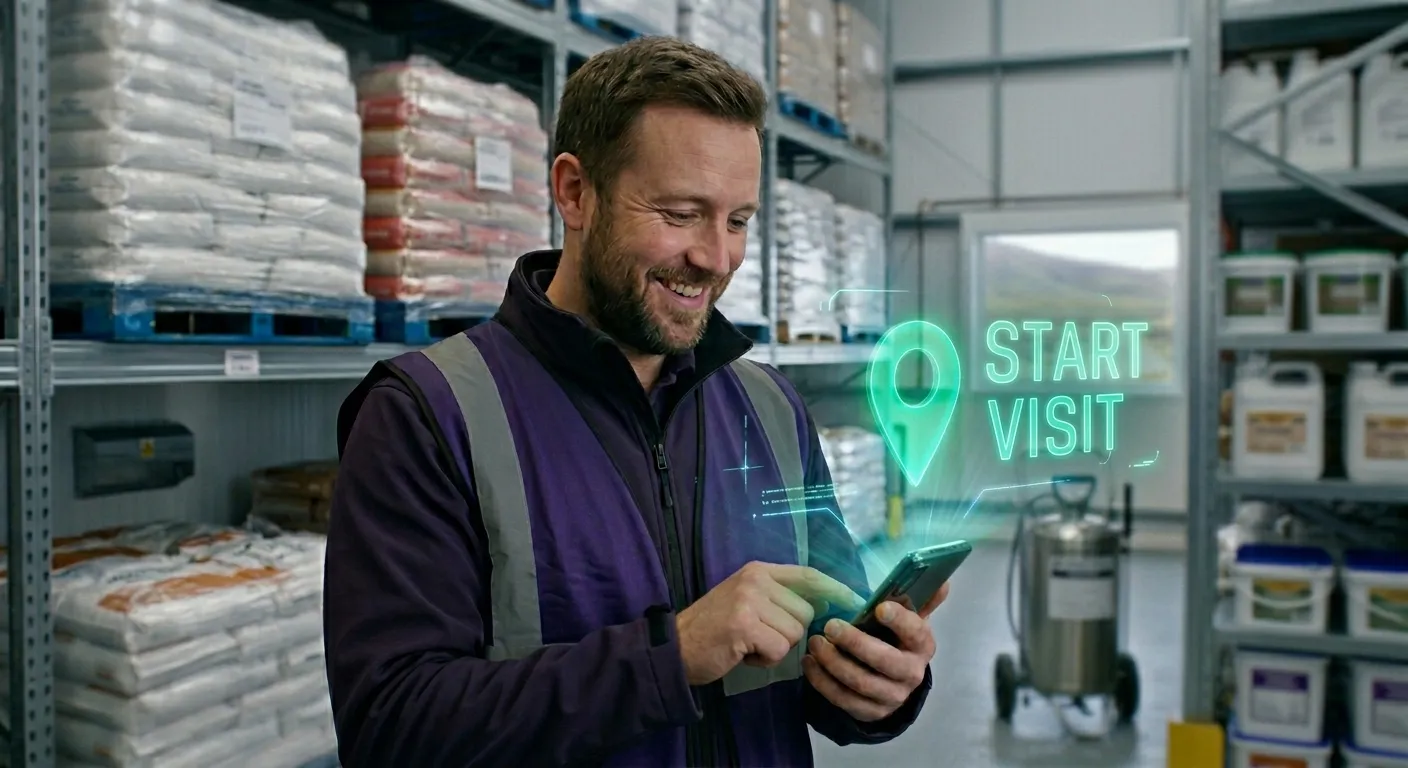
When a technician arrives at a site, the app checks their GPS position. If they’re not close enough, they can’t start the visit.
No exceptions. This one was non-negotiable for the client: they’d had too many reports filed from the wrong place, or filed without the technician actually being there.
They wanted the radius tight, too. Near enough that you have to be standing at the building.
A lock that hard isn’t right for every field team. If yours already files clean reports from where they say they are, we’d tell you to skip it. This client wasn’t in that position.
Once the GPS check passes, the technician works through a set of forms specific to that visit type. Photos are taken inside the app, never from the phone’s camera roll.
As soon as one is captured, an AI check running on the phone itself scans it for blur (motion and focus) and luminosity problems (too dark, too bright, bad exposure). It runs with the phone offline, which is the only way it’s any use on a site with no signal.
The check is only reliable because of what arrives with the photo: GPS lock, visit ID, form type, all attached before the model runs. That’s the pattern that lets AI add value rather than chaos.
If the image fails, the app says so right there, and the technician retakes it while still standing in front of the thing. The unusable photo gets caught at the site instead of at a desk, hours later.
When everything is filled in, the technician signs the report on screen and closes the visit. The app moves them to the next location.
The admin platform
Visits land in the platform as they close, already complete: form fields filled, photos attached to the right location, GPS coordinates, signature. The data goes into the system without anyone touching it.
The admin isn’t interpreting a report anymore. They’re reading one.
And nobody sends that email asking which building a photo is of. The photo already knows, because it couldn’t have been taken anywhere else. That was the whole point.
The scheduling integration
The client already had field service management software for assigning technicians to locations and managing schedules. We didn’t replace it.
The mobile app pulls assignments from it, adds route optimization on top, and pushes completed visit data back. The admin team kept their existing workflow for planning and dispatch, and the only thing that changed was the field side of the process.
Keeping it running
A mobile app, an admin platform, and a scheduling system add up to a lot of moving parts. If any one of them drifts, the whole thing stops being trustworthy.
The scheduling API might change. The photo validation might need tuning as technicians move onto phones with different cameras. A new form type might surface an edge case nobody anticipated.
So we watch it. Grafana and Rollbar went in to keep an eye on each integration point and on the mobile app itself.
Rollbar catches the app-side crashes, and those are never evenly distributed. It’s one OS version, or one phone model, or one technician whose handset does something nothing else in the fleet does. Better to find that on one phone than on twelve.
Grafana watches the rest: scheduling sync, report submission rates, system health. The thing to watch for is quiet. A morning where nothing comes in is either a light day or a sync that stopped, and from the office those look identical.
Security matters here more than in most projects. The system handles location data, site photos, and inspection reports that are tied to real people and real locations. Data in transit is encrypted, access to the admin platform is role-based, and the mobile app authenticates against the backend on every sync. A leak here would hand out a client’s customers, their sites and their addresses, with photographs attached.
We have an ongoing support agreement with the client, so when something needs fixing or reviewing it gets dealt with instead of sitting in a backlog.
What actually changed
Before: emailed reports with mismatched photos, admins retyping everything into the system, blurry or dark images discovered too late to fix.
After: every photo is locked to a GPS-verified location, checked for blur and luminosity on the spot, and the data lands in the system already structured.
Technicians spend less time on the road because the route planning cuts out the backtracking. They don’t write up reports after the fact anymore. Everything is done on-site, in the app. And they don’t show up to wrong addresses, because the app has the location pinned.
For the admin team, the manual data entry is gone. Reports arrive structured and correct. They review rather than reconstruct.
The admin who used to open a batch of unlabeled photos and work out where they came from now just reads the report.
Frequently Asked Questions – Technician Visits
- Does this work with any scheduling system?
- Almost certainly, yes. Nearly every field service platform has an API, and that's all this needs. Somewhere to read the day's assignments from, and somewhere to write the completed visits back to. If yours turns out not to have one, that's what discovery is for, and we'd work out what's possible before anyone commits to a build.
- Can technicians use it offline?
- Yes, and it has to. The sites a pest control technician visits are often the parts of a building nobody puts a repeater in: cellars, plant rooms, the back of a loading bay. The app caches the day's assignments and form templates, then syncs completed visits once there's a connection again. The photo checks run on the phone itself, so a technician with no bars still gets told to retake a dark shot.
- How long did the build take?
- About four months end to end. The MVP with GPS-locked visits, photo capture with validation, and the admin dashboard was ready in about three months. The scheduling integration added a few more weeks on top of that, as the client's dev team had other priorities at the time so coordination took a bit longer.
- What does it cost?
- We start every build with discovery. It produces a written spec with a fixed price on the build, so you see that number before you commit to it. The scope here was wide: a mobile app, an admin platform, a scheduling integration, and the on-device photo checks. We ran it in stages, so working software landed well before the last piece did. What moves the price on a job like this is how many systems are in scope and how deep each one goes.
Got a workflow that relies on manual steps, email chains, or people re-entering data that should flow automatically? Drop us a message. Just a quick honest chat to see what’s possible.
You can also see more of our work or read our manifesto to understand how we approach these problems.