Real-Time Event Photo Sharing Platform: How We Replaced SD Cards and Manual Uploads with a Live Photo Platform
How we built a real-time event photo sharing platform that replaces SD cards, manual Google Drive uploads, and Photoshop branding. Guests download via QR code.
Case Study Highlights
Problem: Photographers manually copying SD cards, uploading to Google Drive next day, admins branding photos by hand and zipping them for the client
Solution: Three-part system: event management platform, custom camera upload software, and a guest-facing photo portal with QR code access
Result: Guests download branded photos during the event and share them on social media while the buzz is still live. Every shared photo carries the client’s logo and event branding, turning guests into free advertising. Photographers don’t touch a single file. Admins have full visibility on every event
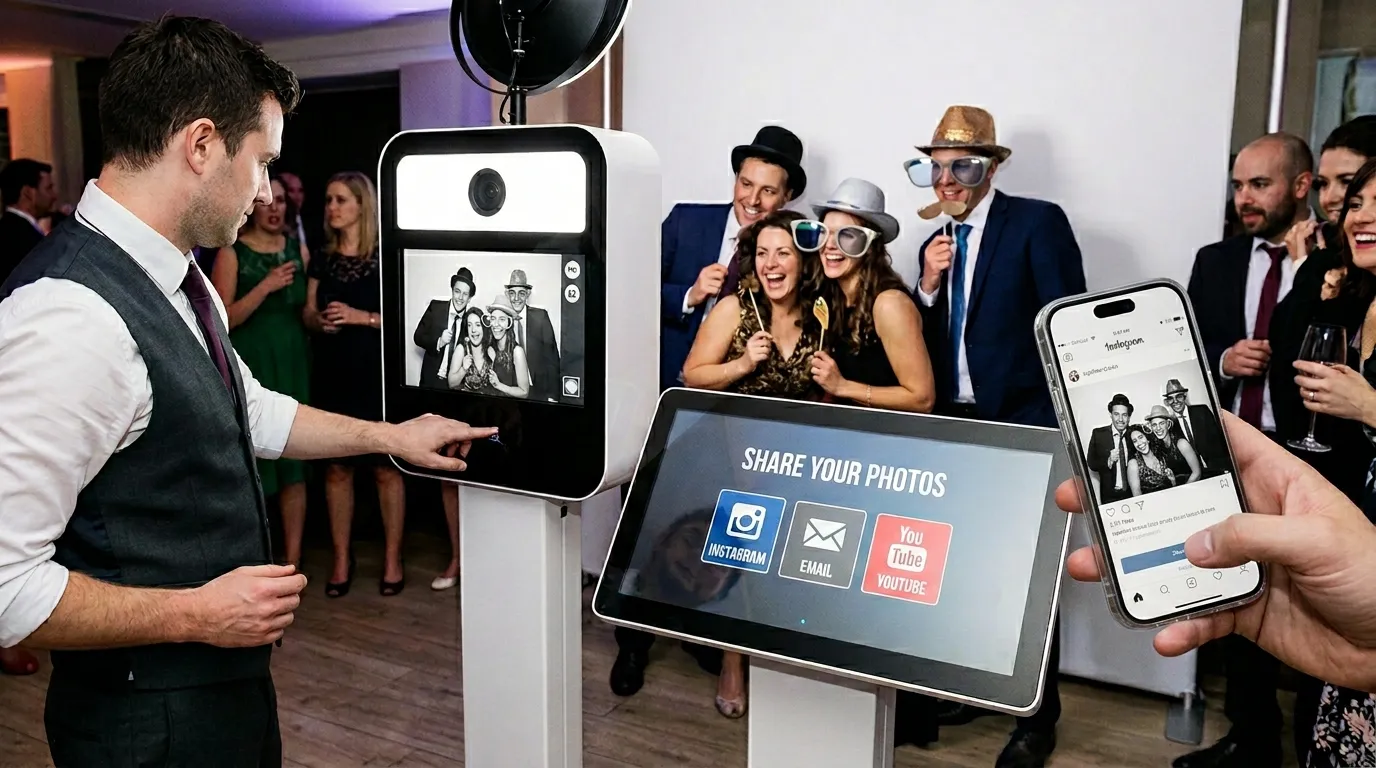
A guest has just had their photo taken, and they want the file, not the print. It’s going on Instagram tonight or it isn’t going anywhere.
So the photographer stops shooting. Phone out, connect to the camera over a mobile app, wait for the image to transfer, send it across.
The queue behind them doesn’t wait. Some of it wanders off.
Our client is a European event photography agency, and a fast-growing one. They supply photo booths with professional photographers to corporate events, product launches, brand activations, and private functions.
The booths themselves worked well enough. A group of guests step up, the photographer takes the shot, and a portable printer spits out a print on the spot. The print was plain, though. No branding, no event graphics, just the raw photo.
And the print was where the smooth part ended. Everything on the digital side ran on SD cards, Google Drive folders and Photoshop scripts.
Before: manual SD card workflow that killed real-time event photo sharing
Here’s how it went after every event:
- The photographer takes the SD card home
- Next day, they load the photos onto a computer and upload them to Google Drive
- An admin downloads the batch and runs a Photoshop script to apply branded overlays (frames, logos, event-specific graphics)
- The admin manually zips the branded photos and sends the archive to the event organizer
The turnaround was at least a day, sometimes more.
Social media is a room that empties. A photo shared while everyone is still at the party gets passed around the party. The same photo the next afternoon gets a polite like from somebody’s colleague.
The client’s customers were paying for brand exposure at these events, and the exposure kept arriving after everyone had gone home. And guests wanted their photos right there, right then. That’s what the photographer was stopping mid-shoot to deal with.
Then there was the prep. Photographers had no shared system for it, so the admin briefed them over messages and email: which frames, which overlays, which colors matched the client’s brand this time.
Nothing tracked who was assigned where, what assets were ready, or whether a photographer had actually built the graphics. You found that out at the venue.
A facilities management company we worked with had the same blind spot, with an admin team reconstructing technician reports out of emailed photos.
The agency came to us at SaaS Glue to sort it out.
The real-time event photo sharing system we built (3-part platform)
Three pieces, each solving a different part of the problem.
Event management platform
We built a web app where admins create events, upload brand assets (logos, frame templates, overlay designs), add event details, and assign photographers. Photographers log in and see their upcoming events with all the assets and instructions attached. They prepare the graphics ahead of time.
The admin sees the state of every event at a glance: prepared, or not prepared, before anyone drives anywhere. A checklist and a paper trail, instead of a thread.
It’s the least glamorous of the three pieces, and it’s the one that keeps a photographer from arriving with the wrong frames.
Camera upload software
This was the technical core. We built software that runs on the same mini-PC the photographer already brings to operate the booth. It connects to the camera via the manufacturer’s API and uploads each photo as it’s taken.
Then there’s the venue Wi-Fi. Every corporate venue promises internet, and what turns up ranges from a clean wired connection to a guest network shared with four hundred people. Sometimes the only thing that works is a 4G modem.
So the software checks what it has before it sends anything. On a strong connection it uploads the full-resolution image. On a weak one it sends an optimized version first, so the guest isn’t standing there watching a progress bar, then pushes the full-resolution file later when there’s bandwidth for it.
Branding happens on the way through. The overlays, frames and logos the photographer prepared in the platform get applied without anyone touching a file, so a photo reaches the guest portal already wearing the event’s branding.
The portable printer gets the branded version too. Every print that leaves the booth now carries the organizer’s logo and graphics, where before it came out bare. For a client paying for brand visibility at their own event, an unbranded print is a strange souvenir.
Guest photo portal
Every event gets its own page with a QR code. The agency prints the QR code and places it at the booth or around the venue. Guests scan it on their phone, watch the event’s photos appear in real time, pick theirs, and download at full resolution.
No app to install. No waiting until tomorrow. Camera to branded download in seconds.
Each event link is unique and long enough that nobody is going to guess it, but there’s no password and no login. The client wanted it public and dead simple to use, so a guest either scans the code at the booth or gets the link from the organizer.
Privacy here is loose by design, and it’s the right trade for a brand activation, where the whole point is guests putting the photos somewhere public. It would be the wrong trade for an event where somebody would mind a stranger seeing the pictures. Worth knowing before you copy the pattern.
Keeping it running
The system ties together a web platform, custom desktop software on each booth’s mini-PC, camera APIs, and a guest-facing portal. That’s a lot of moving parts, and moving parts stop.
What makes this one nasty is how quiet the failure is. The photographer keeps shooting and the printer keeps printing, because that’s a direct connection. The only symptom is a portal that stops filling up, and nobody at the venue is watching the portal. They’re at a party.
So we watch it. Grafana and Rollbar track upload success rates, branding pipeline health, and portal availability. When something breaks we want the whole picture immediately: which device, which event, what failed and why. Not a vague description days later from somebody who was busy at the time.
Results: real-time event photo sharing vs old manual process
Before: photographers took SD cards home, admins ran Photoshop scripts the next day, guests got nothing digital during the event, and the brand everyone was paying for sat on a memory card until someone got around to uploading it.
After: a branded photo is on the guest portal seconds after it’s taken, the print comes out branded too, and nobody touches a file.
Photographers shoot and go home. No SD cards, no Google Drive, no file admin. The event management platform tells them exactly what to prepare and when, so the admin isn’t chasing anyone over email the night before an event.
Event organizers stopped waiting days for a zip file. The photos are on the portal before the event wraps up, and the link still works for the people who never made it to the booth.
None of it needed new hardware. The upload software runs on the same mini-PC already in each booth. The only addition was a 4G modem with a data plan per machine, for venues where the internet can’t be trusted.
Underneath all of it, this is what the agency actually sells. The organizer’s logo goes out on Instagram stories and WhatsApp groups while the room is still full, on photos the guests picked and posted themselves.
And the guest who asked for their file gets it before they’ve left the booth.
Frequently Asked Questions – Event Photo Platform
- What is real-time event photo sharing?
- Real-time event photo sharing lets guests download professionally branded photos instantly via QR code instead of waiting days for SD card uploads.
- How does automatic branded photo upload work for events?
- Our camera upload software connects directly to the Sony camera API and applies logos, frames, and overlays the moment each photo is taken; no Photoshop required.
- Does this work with any camera brand?
- The client uses the same Sony camera across all their booths, and the software works with most Sony models since they share the same API. Other brands like Canon or Nikon use completely different APIs, so supporting those would mean building a separate integration from scratch. Doable, but it's not a config change.
- What happens if the internet drops completely during an event?
- Photos queue up locally on the mini-PC and upload as soon as the connection comes back. Guests won't see new photos on the portal until the connection recovers, but nothing gets lost. The printed photos at the booth still work regardless since that's a direct connection to the printer.
- Can the branding be different for each event?
- Yes. Each event in the management platform has its own set of assets. The photographer prepares the specific frames and overlays for that event ahead of time, and the upload software applies them automatically.
- How long did this take to build?
- The full system (management platform, camera software, guest portal) took about four months from start to launch.
- What does it cost?
- We start every build with discovery. It maps the full workflow and produces a written spec with a fixed price on the build, so you see that number before committing to it. The scope here was wide: three distinct pieces of software plus the camera integration. Support runs separately, as a monthly agreement.
Still waiting on SD cards, Photoshop scripts, or next-day turnarounds for something that should happen live? Drop us a message. No pitch, just a conversation.
You can also see more of our work or read our manifesto to understand how we approach these problems.