The Real ROI of Workflow Automation (With Numbers)
How to calculate the real return on workflow automation. Real numbers from real projects: hours saved, errors eliminated, and revenue recovered.
Key takeaways
A single workflow automation can recover 240+ hours per year and pull in previously unclaimed revenue, often paying for itself within 2 to 6 months
Most ROI calculations only count direct labour hours and miss the bigger value. Error savings, recovered revenue, and opportunity cost typically double or triple the real return
Use the five-step framework in this article (time savings, error cost, recovered revenue, opportunity cost, minus build cost) to get a defensible number you can take to leadership
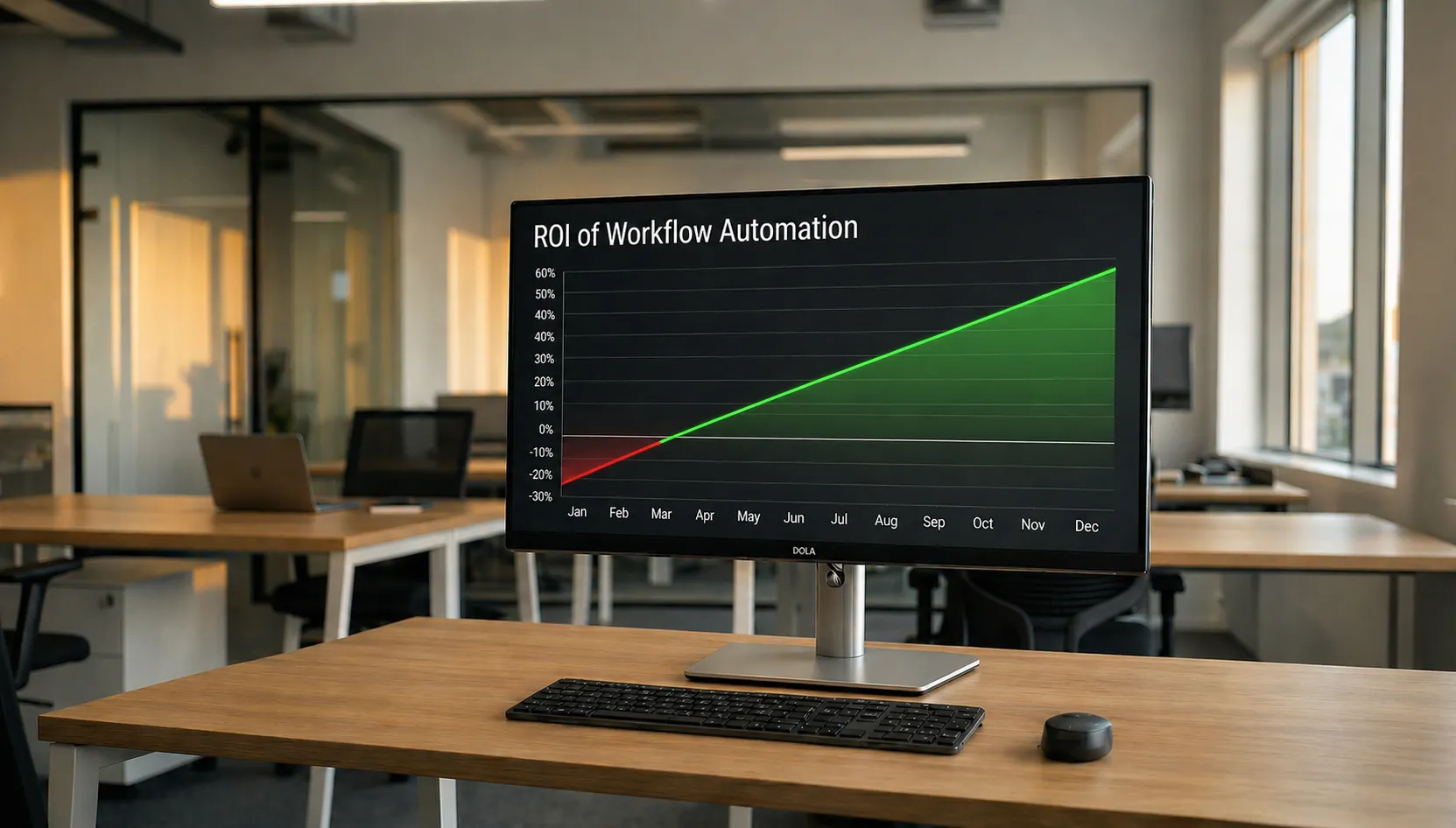
Automation ROI should be the simplest business case to make. You have a manual process, you automate it, you measure the difference. But the benefits land in categories that resist spreadsheets. Time savings get diluted across a team, errors nobody was tracking turn out to be expensive, and the revenue being left on the table is revenue nobody knew about. The business case gets written in vague language about “efficiency gains,” finance sends it back asking for figures, and the project sits in a backlog while the team keeps copying data between systems by hand.
Here is how to build the case with real numbers.
What real automation projects deliver
Most automation vendors quote “3x to 10x returns.” That range is so wide it tells you nothing. The useful numbers come from specific projects, not vendor benchmarks. Here are three from our own work.
A Royal Mail claims process that took 20 minutes per claim was reduced to roughly 2 minutes. With about 16 lost parcels per week, that returned 240 hours per year to the support team. The system also started detecting unclaimed lost parcels that nobody had time to file for, recovering hundreds of dollars in compensation every month. The build took about four weeks.
A warehouse inventory sync that required sales staff to leave their order system, log into a separate warehouse portal, and verify stock before every order was replaced with an automated hourly sync. The tab-hopping stopped. The sales team worked from one screen. That build also took about four weeks.
A marketplace integration that did not exist off the shelf was built to prevent a 3PL from losing a major client. The value was not hours saved — it was client retention. Losing that account would have cost far more than the five-week build.
These are outcomes from projects that shipped and ran, not projections.
Direct time savings
Time savings are the easiest part of the ROI calculation because they are the most visible.
Take the Royal Mail claims example. 16 claims per week at 20 minutes each works out to just over 5 hours a week, or roughly 277 hours per year. After automation, the same claims take about 2 minutes each, or 28 hours per year. Net saving: approximately 249 hours. At a fully loaded cost of $35 per hour for a support team member (salary plus benefits, equipment, and management overhead), that is $8,700 per year in direct labour savings from a single workflow.1
But that calculation only captures the task itself. It misses the context-switching cost. Research by Gloria Mark at the University of California, Irvine found that workers take an average of 23 minutes before returning to their original task after an interruption.2 A support agent pulled away from a customer conversation to hunt through Xero for a purchase order does not just lose the 20 minutes on the claim. They lose the transition time on both sides. Asana’s Anatomy of Work research found that workers switch between an average of 10 apps per day, losing around 3.6 hours per week to the friction alone.3
The field service company we worked with had a similar pattern. Admin staff were re-entering data from emailed technician reports into their system. The task was not complex, but it ate hours every week and introduced errors with every keystroke. After automation, data flowed from the technician’s mobile app directly into the system. The admin team shifted from data entry to data review, a better use of their time.
For the event photography agency, photographers spent time after every event copying SD cards and uploading to Google Drive, while admins ran Photoshop scripts to brand photos before zipping and sending them to clients. That entire post-event workflow disappeared. Photos went from camera to branded guest portal in seconds, during the event, not the day after.
A pattern across these projects: the real time cost of a manual workflow is always higher than the task duration alone, because nobody tracks the full cycle. The setup, the switching, the error correction, the follow-up.
Error reduction and revenue recovery
Time savings get the headline, but error reduction is often where the bigger financial impact hides.
The Mirakl-to-Mintsoft integration is a good example. Without automated inventory sync between the warehouse and the marketplace, stock levels lagged behind reality. By the time someone manually exported numbers from Mintsoft, formatted a file, and uploaded it to Mirakl, the data could be hours old. During high-volume periods, that delay means selling products you do not have. Cancelled orders, refund processing costs, damaged marketplace seller ratings that take months to recover. The automated sync with configurable stock buffers eliminated that risk.
The field service automation eliminated a different class of error — the kind that training cannot fix. Wrong photos attached to wrong job sites, transcription mistakes baked into every manual re-entry. After automation, every photo was GPS-tagged and quality-checked before it left the device. Those error categories stopped existing.
Industry benchmarks back this up: automated workflows typically reduce error rates by 40–75% compared to manual processes, with the range depending on complexity and implementation quality.4 For processes that touch financial data, inventory, or customer-facing operations, even a small error rate compounds. A single oversold order can cost $40–60 in refund processing, reshipping, and customer service time. A few dozen per month across multiple channels, and you are looking at thousands in avoidable losses annually, and that is before the customer goodwill damage.
The Royal Mail project showed the flip side of error reduction: revenue recovery. The automated system scanned outbound shipments for signs of lost parcels and filed claims the team would never have caught manually, pulling in hundreds of dollars monthly that had been going uncollected. What started as a cost-saving project turned into a revenue tool.
The opportunity cost you are not counting
This is the part that most businesses leave out of the ROI calculation entirely.
When the Tradegecko sales team stopped tab-hopping between their order system and the warehouse portal, they did not just save a few minutes per order. They stayed in flow and served customers faster. They closed more deals because they were not breaking concentration every time someone needed a stock check.
McKinsey estimates that current technologies could automate activities absorbing 60–70% of employees’ time.5 Even partial automation frees meaningful hours, and the productivity gains from what people do with that time are consistently left out of ROI calculations. Businesses measure the direct labour saving and ignore the compounding value of what the freed-up person does next.
There is also a retention dimension. Nobody went into support work to hunt through purchase orders. Nobody became a sales rep to manually verify warehouse stock. Nobody trained as a photographer to spend their evenings copying SD cards. When you remove the repetitive work, people do more of what they are good at, and they stick around longer. Oxford Economics found that replacing an employee costs an average of $39,000 in lost productivity during the ramp-up period, recruitment, and onboarding, a figure from 2014 that is conservative today.6 Retaining one team member who would have left over frustration with manual repetitive work can exceed the cost of the entire automation project.
How to calculate your automation ROI
This automation ROI framework captures the categories that matter and gives you a number you can take to finance.
Step 1: Measure the manual cost. Count the hours spent on the task per week. Include the setup, the context switching, the error correction, and the follow-up, not just the core task. Multiply by 52 weeks, then by the fully loaded hourly cost (salary plus roughly 30% for benefits and overhead).
Example: 6 hours/week × 52 weeks × $35/hour = $10,920/year
Step 2: Estimate the error cost. How many errors does the manual process produce per month? What does each one cost in refunds, rework time, or customer impact? If you do not have exact numbers, pick a conservative estimate. A rough figure is better than zero, which is what most business cases use.
Example: 10 errors/month × $55 average cost × 12 months = $6,600/year
Step 3: Identify recovered revenue. Is there money you are leaving on the table because the manual process cannot keep up? Unclaimed compensation, missed follow-ups, clients at risk because your systems cannot meet their requirements?
Example: $600/month in unclaimed credits and missed follow-ups = $7,200/year
Step 4: Factor in opportunity cost. What would your team do with the recovered hours? Take the hours from Step 1, subtract any time you will still spend monitoring the automation, and estimate what percentage goes to revenue-generating activity. Use the value of the work they shift to, not their salary. Revenue-generating work is worth more per hour than the admin task you just automated.
Example: (312 total hours – 52 monitoring hours) × 30% productive redeployment × $45/hour value = $3,510/year
Step 5: Subtract the build cost. A focused custom integration typically costs $5,000–$30,000 depending on the number of systems, data complexity, and whether you need ongoing monitoring. Simple workflows that fit within a tool like Zapier or Make can cost under $100/month, but if your process has outgrown those tools, a custom build is the comparison. Include ongoing maintenance. A well-built automation is not set-and-forget.
Annual value = Step 1 + Step 2 + Step 3 + Step 4
Payback period = build cost ÷ (annual value ÷ 12)
Using the examples above: ($10,920 + $6,600 + $7,200 + $3,510) = $28,230/year in value. At a build cost of $15,000, that is a payback period of roughly 6 months. After that, the annual value continues minus a modest ongoing maintenance cost.
When automation does not pay off
Not every manual process is worth automating.
Low-volume, low-frequency tasks. If a process runs once a week and takes 10 minutes, automating it will cost more than it saves. As a rough guide, if the annual manual cost (Step 1 above) is under $2,500, the automation probably is not worth building unless the error cost or revenue recovery numbers are significant.
Processes that are still changing. If the workflow is not stable, if you are still figuring out the steps, the tools, or the business logic, automating it locks in a process that might need to change next month. Automate things that are settled and repetitive, not things still being designed.
Where the data is not there. Automation needs clean inputs. If the source data is inconsistent, incomplete, or trapped in formats that resist extraction, you will spend more time cleaning the data than you save by automating the workflow. Sometimes the right first step is fixing the data problem.
When the team is not ready. An automation that nobody trusts will get worked around. If the team does not believe the automated process is reliable, they will keep doing the manual version “just in case,” and you pay for both. Buy-in matters.
None of this means the process should stay manual forever. It means the timing is not right yet.
The businesses that get the most from automation measure properly, build for the right reasons, and choose the right processes first. We built SaaS Glue around a straightforward idea: your team should not be the middleware between your software. If you are staring at a manual workflow that costs more than it should but you cannot get the business case past finance, use the framework above to build the numbers. If you want help scoping what the build would actually look like, get in touch. No pitch, just an honest look at whether automation makes sense for your situation.
Frequently Asked Questions: Workflow Automation ROI
- How quickly does workflow automation pay for itself?
- Most focused automation projects pay for themselves within 2 to 6 months. The exact payback period depends on the volume of the manual process, the error rate, and whether there is revenue being left on the table. Use the five-step framework in this article to calculate your own payback period with real numbers.
- What is the average ROI of workflow automation for small businesses?
- Industry estimates vary widely, but the useful number is the one you calculate for your specific process. Using the framework in this article, most manual workflows that involve 5 or more hours per week of labour, or that touch financial data and inventory, produce returns of 3 to 10 times the build cost over a 2 to 5 year period when you factor in time savings, error reduction, and recovered revenue.
- How do I calculate automation ROI if I do not have exact data?
- Start with conservative estimates. Time your team on the manual task for a week and multiply out. Estimate errors per month even if you do not have precise tracking. Identify any revenue that is clearly being missed. A rough but honest calculation is far more useful than a precise-looking number built on assumptions nobody questioned.
- Is automation worth it for processes that only take a few minutes?
- It depends on frequency and error impact. A 5-minute task that runs 30 times a day is 12.5 hours a week, which is absolutely worth automating. A 10-minute task that runs once a week probably is not, unless the errors it produces are costly or it blocks other work.
- What costs should I include beyond the build?
- Include ongoing monitoring and maintenance. APIs change, data volumes grow, and edge cases appear over time. A well-built automation needs someone watching it. Budget for a modest monthly support cost alongside the one-off build fee. Ignoring maintenance is how automations stop delivering value.
- Can I justify automation spend if the main benefit is staff morale?
- Morale is harder to quantify but it is real. Oxford Economics found that replacing an employee costs an average of $39,000 when you factor in lost productivity, recruitment, and onboarding. That is a 2014 figure, likely conservative today. If removing tedious manual work helps retain even one team member, that saving alone can exceed the automation build cost. Include it in the business case, even as a qualitative factor.
- What is a good automation payback period?
- Anything under 12 months is a strong investment. Most focused workflow automation projects pay back in 2 to 6 months. If your payback calculation shows longer than 18 months, scrutinise whether the process is high-volume enough or whether the error and revenue recovery numbers justify the build. Use the framework in this article to calculate your specific payback period.
- Should I automate processes that change frequently?
- Not yet. Automate processes that are settled and repetitive. If the workflow is still being designed or changes every few months, you risk building something that needs to be rebuilt. Stabilise the process first, then automate it.
References
1 SaaS Glue — Royal Mail Lost Parcel Compensation Claim Automation case study. Internal project data: 16 claims/week at 20 min each reduced to ~2 min each. Available at: https://saas-glue.com/case-studies/royal-mail-lost-parcel-compensation-claim-automation-xero-linnworks
2 Gloria Mark, University of California, Irvine — “The Cost of Interrupted Work: More Speed and Stress” (CHI 2008). Found that workers take an average of 23 minutes to return to a task after interruption. Available at: https://ics.uci.edu/~gmark/chi08-mark.pdf
3 Asana — Anatomy of Work Index (2023). Found workers switch between an average of 10 apps per day, with significant productivity loss from context switching. Available at: https://asana.com/resources/anatomy-of-work
4 Formstack — “Workflow Automation Statistics” (2025). Aggregates multiple industry studies showing automated workflows reduce error rates by 40–75% compared to manual processes. Available at: https://www.formstack.com/blog/workflow-automation-statistics
5 McKinsey & Company — “The Economic Potential of Generative AI: The Next Productivity Frontier” (2023). Found that generative AI and other technologies could automate activities absorbing 60–70% of employee time. Available at: https://www.mckinsey.com/capabilities/mckinsey-digital/our-insights/the-economic-potential-of-generative-ai-the-next-productivity-frontier
6 Oxford Economics — “The Cost of Brain Drain” (2014). Found that the average cost of replacing an employee is £30,614 (~$39,000), comprising lost output during the ramp-up period and logistical costs. Available at: https://www.oxfordeconomics.com/resource/the-cost-of-brain-drain/